The challenge
Every new SharePoint business form meant another custom-coded component, and every approval chain another bespoke workflow. Ten forms meant ten separate codebases doing the same things slightly differently.
SharePoint Online runs no server code of its own, so any rule enforced only in the browser can be bypassed. The browser could not be trusted to decide who may approve what.
What we built
- Form schemaSections, fields, rules, routing
- SharePoint web partsRender and validate the form
- Power AutomateDecides and enforces the approver
- ApproverApproves or returns the request
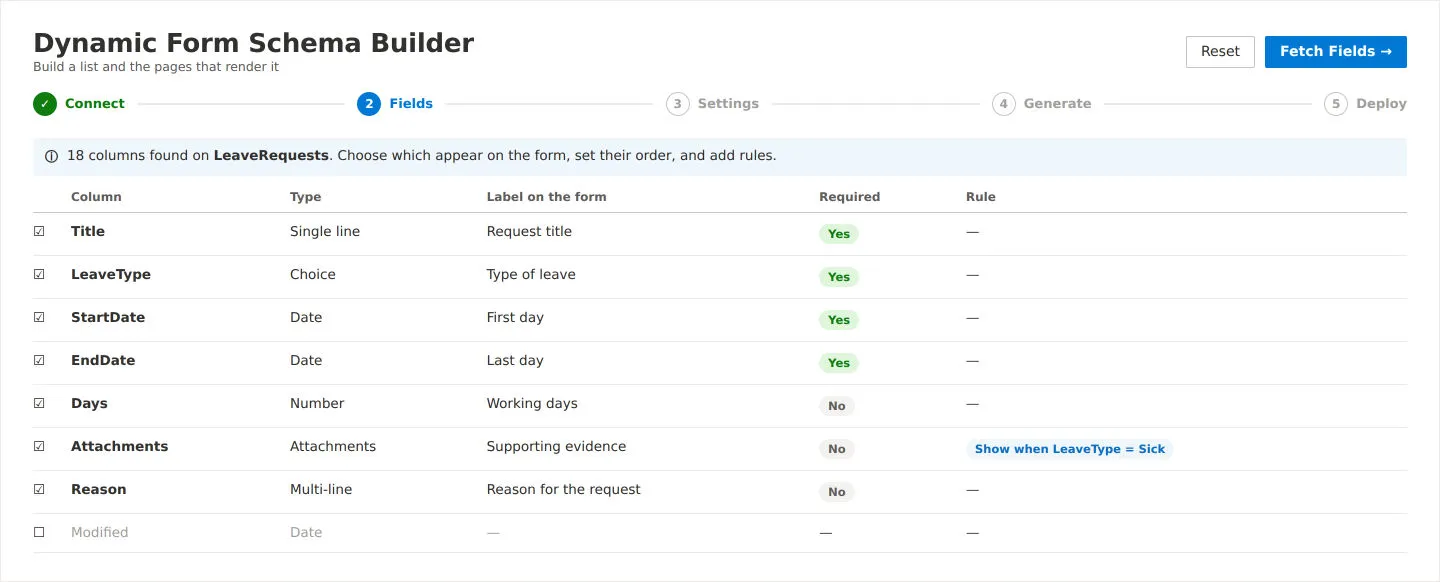
We built nine SharePoint web parts that render forms from a JSON schema, a structured configuration file that declares sections, fields, rules and routing. Thirteen field types are supported, plus repeating child records and document upload areas.
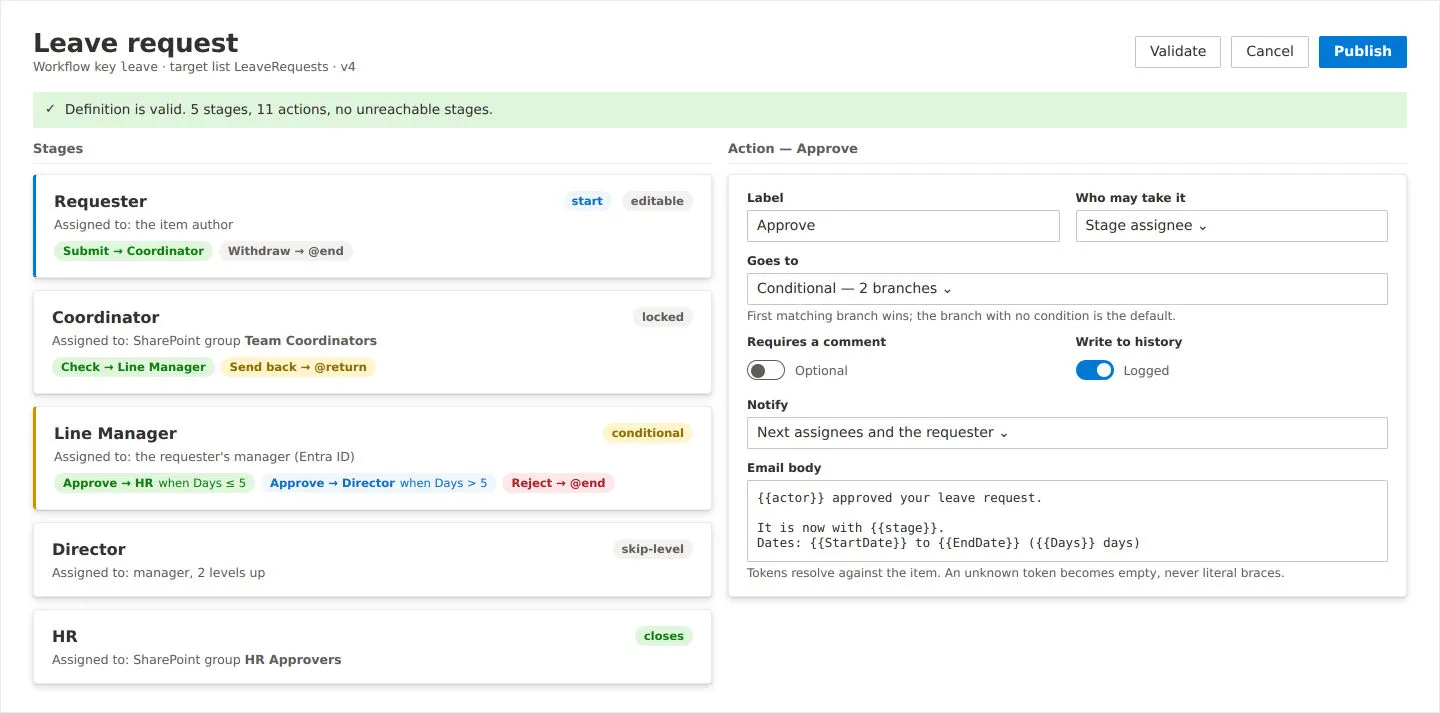
For approvals, the browser sends only the item and the requested action. A Power Automate flow running under a service identity decides who the approver is and enforces it. The routing rules are defined in both places on purpose, and the flow has the final say.
A production-readiness review addressed SharePoint list-size limits, a permission-ordering defect and a stored-script security issue, and made the form-creation screen lighter to load.
Outcome
The forms are production-ready, with twelve sample schemas and a detailed schema guide for form authors.
The approval workflow is not yet live. The Power Automate flow that holds approval authority has not been built, so workflow actions currently queue as pending. The form rules are covered by automated checks.