The challenge
The answer to "why did we do it that way" usually sits in a Teams thread or an email that nobody can find a month later, and it is lost when its author moves on.
Knowledge bases fail when capture is a separate task. Capture had to happen inside the conversation, in seconds, and any AI involved must never slow it down or stop it.
What we built
- Teams or OutlookMessage action or add-in
- Card wizardStep-by-step form with drafts
- Azure OpenAIOptional suggestions only
- Approval flowReviewed before publishing
- SharePoint hubSearchable knowledge base
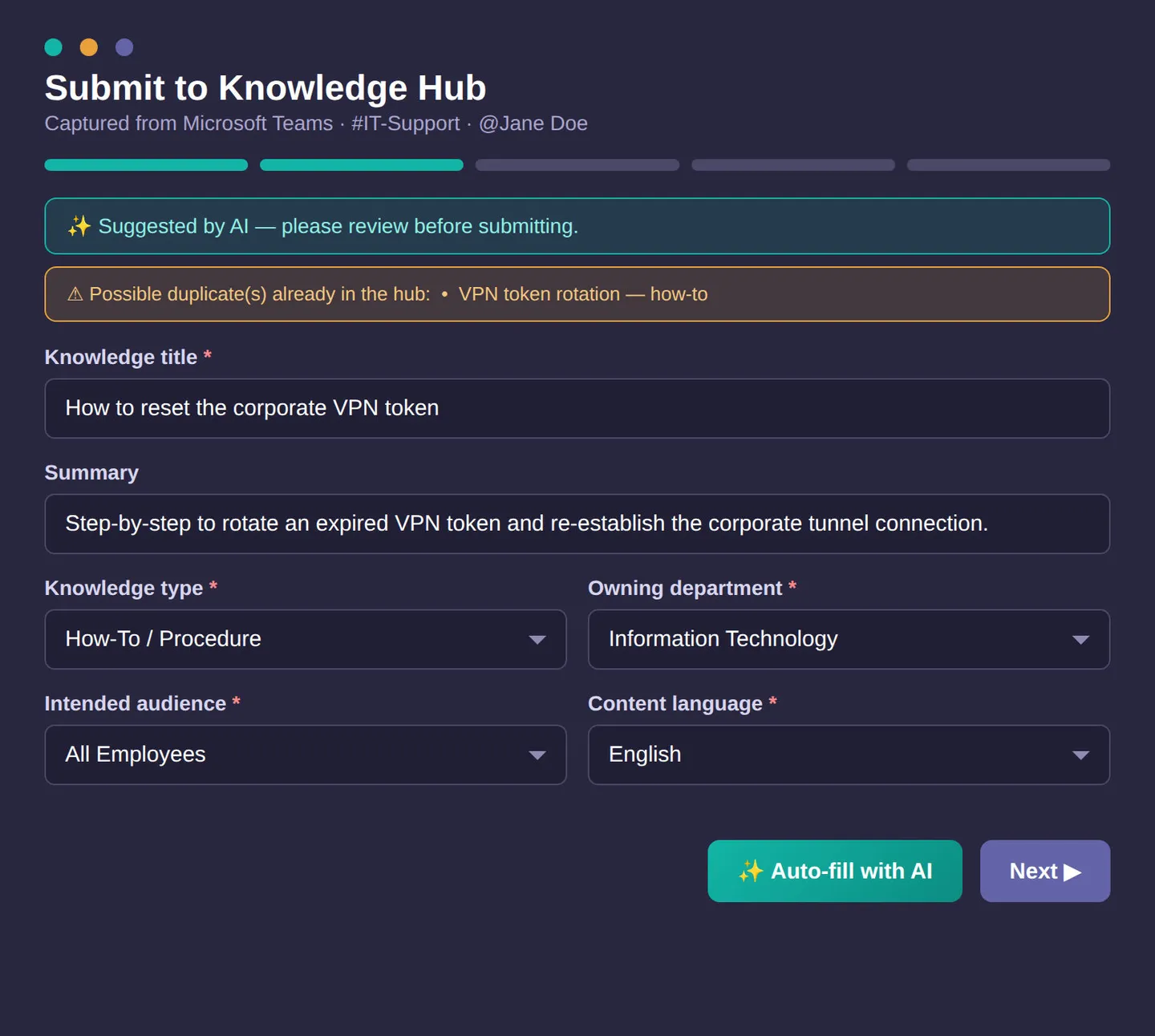
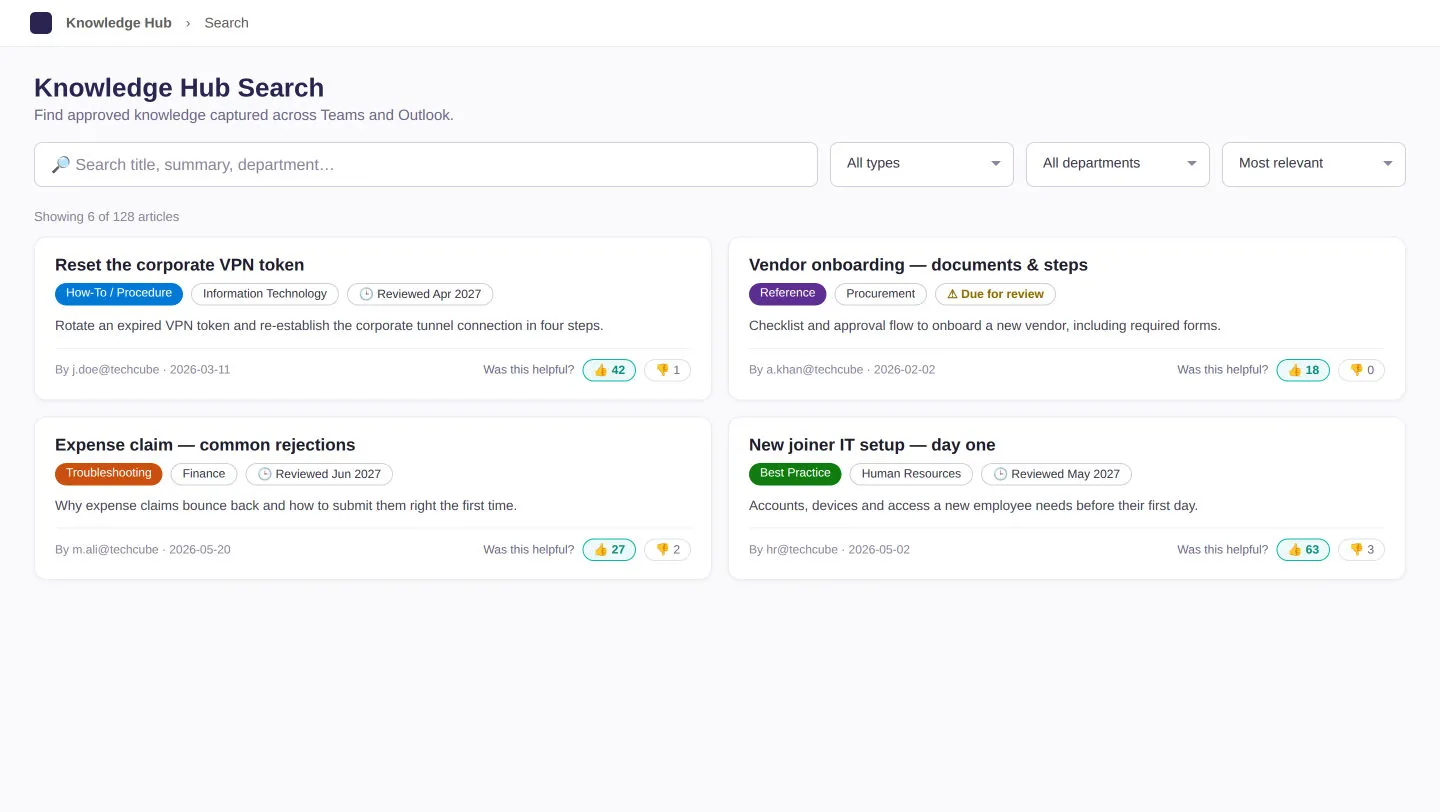
From a Teams message or an Outlook email, a step-by-step wizard guides people through a 45-field form and saves drafts as they go. Submitted items pass through an approval flow into a SharePoint knowledge hub, which people search through three dedicated SharePoint web parts (page components).
Azure OpenAI, Microsoft's hosted AI service, can suggest a title, a summary and classifications, but only from the organization's existing choice lists, and it leaves a field blank rather than guess. If the AI fails, the form simply stays unfilled and capture carries on.
Duplicate detection uses a fast text match to shortlist candidates and AI to confirm genuine near-duplicates, with a SharePoint Search mode for large knowledge bases. A daily spending cap keeps AI costs under control.
Outcome
Built and covered by automated tests. Every AI feature ships switched off by default and runs only once Azure OpenAI is configured and the required license is in place.
Not yet deployed to a live tenant. A Microsoft Graph connector to feed approved items into Microsoft Search and Copilot is specified but not built, and two planned Power Automate flows are documented but not built.